xx network Bridge
The xx network Bridge moves XX between the xx network blockchain and Ethereum. On xx network, XX is the native coin. On Ethereum it's wrapped XX (wXX), an ERC-20 token. One XX always bridges to one wXX, and back.
You can bridge in either direction:
- XX to wXX: send native XX from your xx network account and receive wXX at an Ethereum address.
- wXX to XX: send wXX from your Ethereum wallet and receive native XX at an xx network address.
Before you connect a wallet, check that the address bar reads exactly https://bridge.xx.network.
If you need help with the bridge, email support@xx.network. There is no other support channel.
- Nobody from xx network will message you first, on Discord, Telegram, X or anywhere else.
- No one from xx network will ever ask for your recovery phrase, your JSON account file or its password, or ask you to "validate", "sync" or "connect" your wallet on another site.
Anyone who does is a scammer.
The bridge page currently doesn't reach Transfer complete!. It stays on Waiting for Bridge ... even after your transfer has arrived. Your transfer still goes through. Write down your transaction hashes, then check on the transfer yourself.
Before you start
- Use a desktop browser. The bridge doesn't work on phones or in narrow windows (728 pixels wide or less), so mobile wallet apps can't use it.
- You need an Ethereum wallet for both directions, with some ETH in it to pay Ethereum fees. The bridge connects to browser-extension wallets such as MetaMask, to wallets that use WalletConnect, and to Coinbase Wallet.
- To bridge XX to wXX, you also need an xx network browser extension: polkadot{.js}, Talisman or SubWallet, with your xx account added to it. The bridge also suggests Nova and Fearless, but those are mobile apps and won't work here.
- You can bridge from 1 to 9,000,000 XX per transfer. The minimum of 1 is the xx network existential deposit, the smallest balance an xx account can hold.
- Bridge to a wallet you control, not to an exchange. Exchanges may not credit coins that arrive straight from the bridge. Bridge to your own wallet first, then send from there.
- Keep the bridge tab open until the transfer finishes, and use only one tab.
What it costs
| Direction | Paid on xx network, in XX | Paid on Ethereum, in ETH |
|---|---|---|
| XX to wXX | The xx network transaction fee | The relayer fee, plus gas |
| wXX to XX | Nothing | Gas: for a one-time approval on your first transfer, then for the deposit |
The relayer is the service that carries transfers between the two chains. Its fee is paid in ETH and is updated regularly.
The bridge shows Estimated fees before you press Transfer, and keeps Transfer disabled until you can cover them. If you see Gas fees are currently high, you can wait and try again later.
Connect your Ethereum wallet
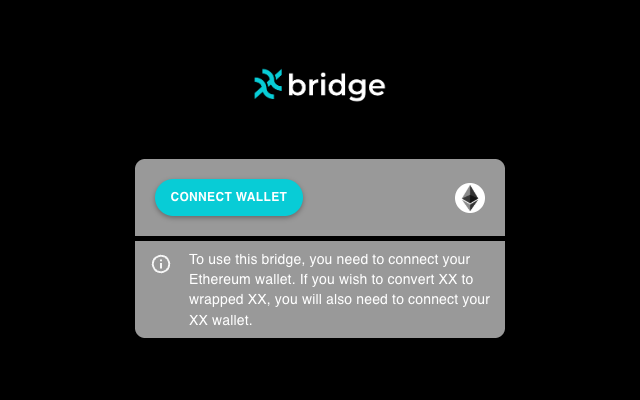
- Go to bridge.xx.network and press Connect Wallet.
- Choose your Ethereum wallet and approve the connection in it.
- If your wallet asks to switch to Ethereum Mainnet, approve it. If you reject the switch, the bridge disconnects and you're back at step 1.
The bridge uses whichever account is active in your Ethereum wallet. To use a different Ethereum account, switch accounts in the wallet.
Bridge XX to wXX
- Press the round Switch Networks button between From and To, so that the bridge reads from xx network to Ethereum Mainnet. A new bridge tab always starts the other way round.
- If no xx account is connected, press Connect xx Wallet, allow "xx bridge" in your extension, and choose your account from the list at the top of the page. Sender now shows your XX and ETH balances.
- Recipient is filled in with your connected Ethereum address. Check that it's the address you want the wXX sent to.
- Enter the amount, or press Max. Max leaves enough XX to pay the xx network transaction fee.
- XX that's bonded for staking, or still vesting, can't be bridged, even though the balance shown includes it.
- If your account is left with less than 1 XX, the network closes it and that remainder is lost. The account reopens as soon as it receives XX again. To avoid this, leave at least 1 XX behind.
- Check Estimated fees. It shows two amounts: the xx network fee in XX, and the relayer fee plus gas in ETH.
- Press Transfer. The bridge then takes you through these steps:
- Native Transfer: approve the transaction in your xx extension. This sends your XX to the bridge.
- Fee Payment: approve the transaction in your Ethereum wallet. This pays the relayer fee in ETH.
- Waiting for Bridge ...: the relayer picks up your transfer and mints your wXX. This usually takes a few minutes.
- Transfer complete!: links to your transactions.
There's no Cancel at the Fee Payment step. Until the fee is paid, your XX stays with the bridge and no wXX is minted. If the request in your wallet fails or you dismiss it, press Retry Fee Payment. If you can't complete it, email support@xx.network with your xx network transaction hash.
See your wXX in your Ethereum wallet
Wallets don't always show a new token by themselves. To add wXX, import a custom token with this contract address:
0x171120219d3223e008558654ec3254a0f206edb2
Your wallet fills in the rest. The token's symbol shows as WXX, and it uses 9 decimals.
Bridge wXX to XX
- A new bridge tab starts in this direction, from Ethereum Mainnet to xx network. If yours doesn't, press the round Switch Networks button between From and To.
- Sender shows your ETH and Wrapped XX balances.
- In Recipient, enter the xx network address that should receive the XX. It starts with
6and is 48 characters long. If an xx extension is connected, your xx account is filled in for you. You don't need an xx extension in this direction: you can paste any xx address. If the field turns red, the address isn't valid. - Enter the amount, or press Max to bridge all your wXX. The minimum is 1 wXX.
- Check Estimated fees, in ETH.
- Press Transfer. The bridge then takes you through these steps:
- Approve Spending (first transfer only): press Approve, then approve the request in your wallet. This lets the bridge move your wXX when you make a transfer. It's set to a large amount (1 billion wXX) so that you only need to do it once. If your wallet lets you edit the spending cap, don't set it below the amount you're bridging.
- Deposit: approve the transaction in your wallet. This sends your wXX to the bridge.
- Waiting for Bridge ...: the relayer picks up your deposit and releases your XX on xx network. This usually takes a few minutes.
- Transfer complete!: links to your transactions.
Check on a transfer yourself
You don't need the bridge page to see whether a transfer arrived.
Find your transaction hashes. Your wallet's activity list shows each transaction you approved, with a link to a block explorer.
XX to wXX: did the wXX arrive? Open this page, with your Ethereum address in place of YOUR_ETHEREUM_ADDRESS:
https://etherscan.io/token/0x171120219d3223e008558654ec3254a0f206edb2?a=YOUR_ETHEREUM_ADDRESS
Your wXX shows as a transfer from 0x0000000000000000000000000000000000000000. That's how a newly minted token appears.
wXX to XX: did the XX arrive? Open your account on the xx network Explorer, with your xx address in place of YOUR_XX_ADDRESS:
https://explorer.xx.network/accounts/YOUR_XX_ADDRESS
Your XX shows as a transfer from the bridge's account, 6XmmXY7v7NeGH3qiiZTQCRsp2bV3m5zNKAgohiNPE8uiprJ7.
Reset and closed tabs. The Reset button on the waiting step only clears the bridge's progress screen. It doesn't cancel or change your transfer, but the screen's links go with it, so note your hashes first. To get back to an unfinished transfer, reopen the bridge in the same browser, connect the same wallets, and choose the same sending account.
Troubleshooting
- The bridge disconnects right after you connect. You rejected the switch to Ethereum Mainnet. Connect again and approve the switch.
- "No xx wallet found". Install polkadot{.js}, Talisman or SubWallet, add your xx account to it, and reload the page.
- Your xx account isn't in the list. The bridge lists only xx network accounts, not Ethereum accounts. Check that you allowed "xx bridge" to see the account in your extension's settings.
- Transfer stays disabled. Read the messages under the form: Minimum amount is 1, Exceeds balance, Insufficient ETH balance or Insufficient XX balance, or a red recipient field.
- "User rejected transaction". The bridge shows this for any problem with an Ethereum transaction, not only when you reject one. Check that you have enough ETH and no stuck pending transactions in your wallet, then press Retry.
- Waiting for Bridge ... for a long time. See the known issue at the top of this page, and check on the transfer yourself. Transfers can also be delayed when the relayer falls behind, and they complete when it catches up. If your transfer hasn't arrived after a few hours, email support.
- The Explorer shows your xx account as "Closed". Its balance went below 1 XX. It reopens as soon as it receives XX again.
Getting help
The only support channel for the bridge is email: support@xx.network. Include:
- the direction (XX to wXX, or wXX to XX) and the amount
- the sending and receiving addresses
- your transaction hashes
- roughly when you made the transfer
Never send your recovery phrase, your JSON account file, or any password. Support will never ask for them, and nobody from xx network will contact you first.
Contract addresses
Use these to check what your wallet is asking you to approve.
| What | Address |
|---|---|
| wXX token | 0x171120219d3223e008558654ec3254a0f206edb2 |
| Bridge contract | 0x104977989515b040879226f293eacbf342f39ab7 |
| Token handler, which the Approve Spending step approves | 0x2297db5f1775cdea3e9696e00a005996129283d8 |
| Relayer fee contract, which Fee Payment pays | 0x6e398fd37a69a417287cdbb1b0cfa41b63e03762 |
| Bridge account on xx network | 6XmmXY7v7NeGH3qiiZTQCRsp2bV3m5zNKAgohiNPE8uiprJ7 |